How to Clean Up the Status Bar in App Screenshots
You designed a beautiful screen, took a screenshot, and the top of it says “3:47pm, 23% battery” next to your carrier’s name. Every method for fixing it, from most manual to most automatic.
Method 1: Stage the phone before the screenshot
You can get partially clean the hard way: charge to 100%, enable Do Not Disturb, and wait for a nice-looking time. You still can’t remove the carrier name, and you’ll never hit 9:41 with full bars on cue. Fine for a casual share; not for marketing.
Method 2: Simulator overrides (developers)
If your workflow runs through Xcode, the simulator’s status bar can be forced:
xcrun simctl status_bar booted override \
  --time "9:41" --batteryState charged --batteryLevel 100 \
  --cellularMode active --cellularBars 4
This is the right tool for automated screenshot pipelines. Its limits: it only works on the simulator (not screenshots from a real device), needs a Mac, and doesn’t help with screenshots other people send you.
Method 3: Edit it by hand
Open Photoshop or Pixelmator, clone the background over the status bar, and redraw the elements. It preserves your design, and costs 10–15 minutes per screenshot. On video, it’s effectively impossible.
Method 4: Replace it automatically
This is the case Screeny was built around. Toggle Clean Status Bar and the app rebuilds the bar on the screenshot you already have: 9:41, full signal, full battery, no carrier, while keeping your app’s own background pixels intact.
The distinction that matters: naive tools paint an opaque strip over the top of the screen, which flattens whatever gradient or image your app draws there. Screeny samples the pixels around the status bar and reconstructs the area, so the result looks like the screenshot was taken at 9:41, not edited.
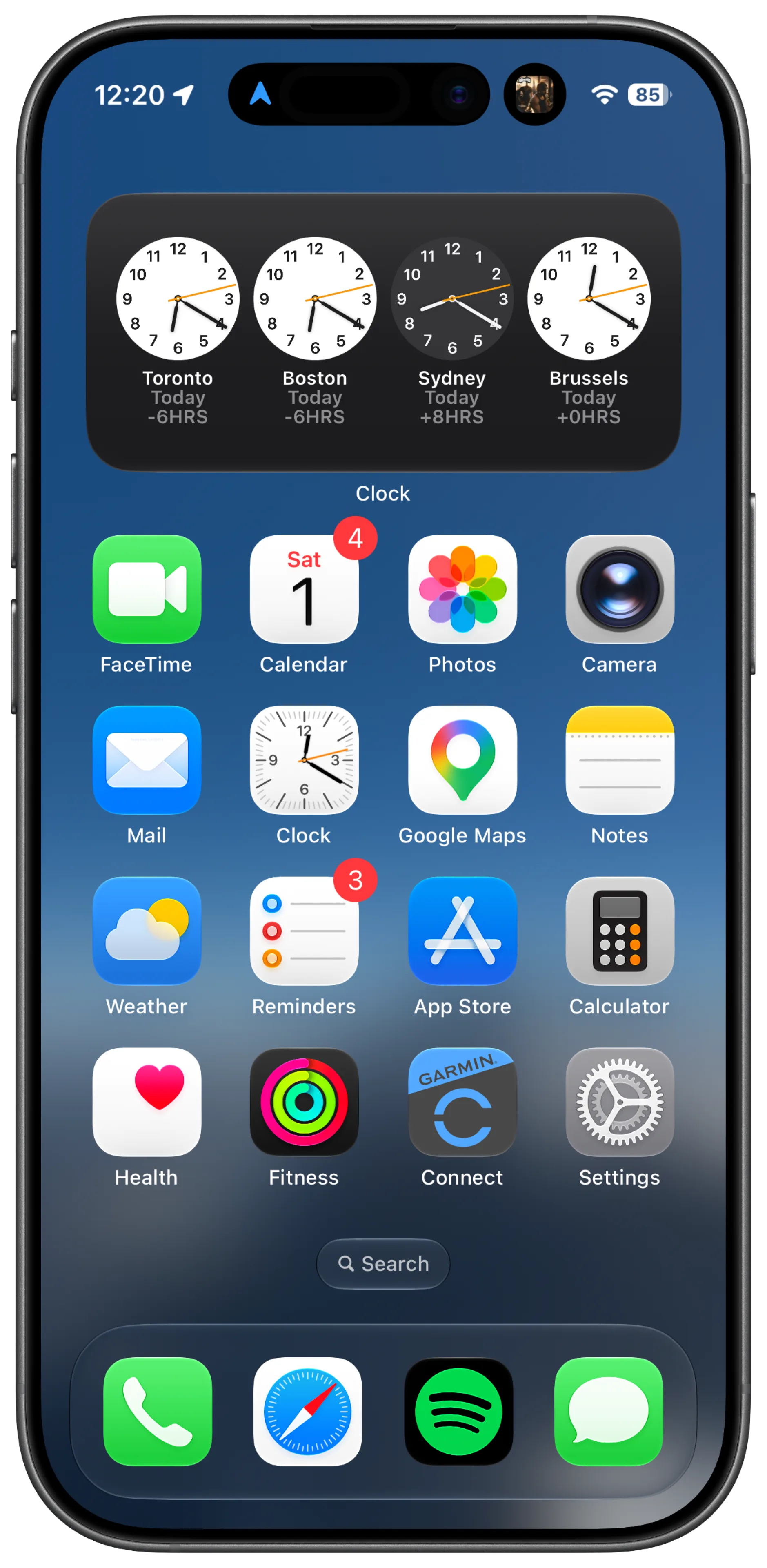
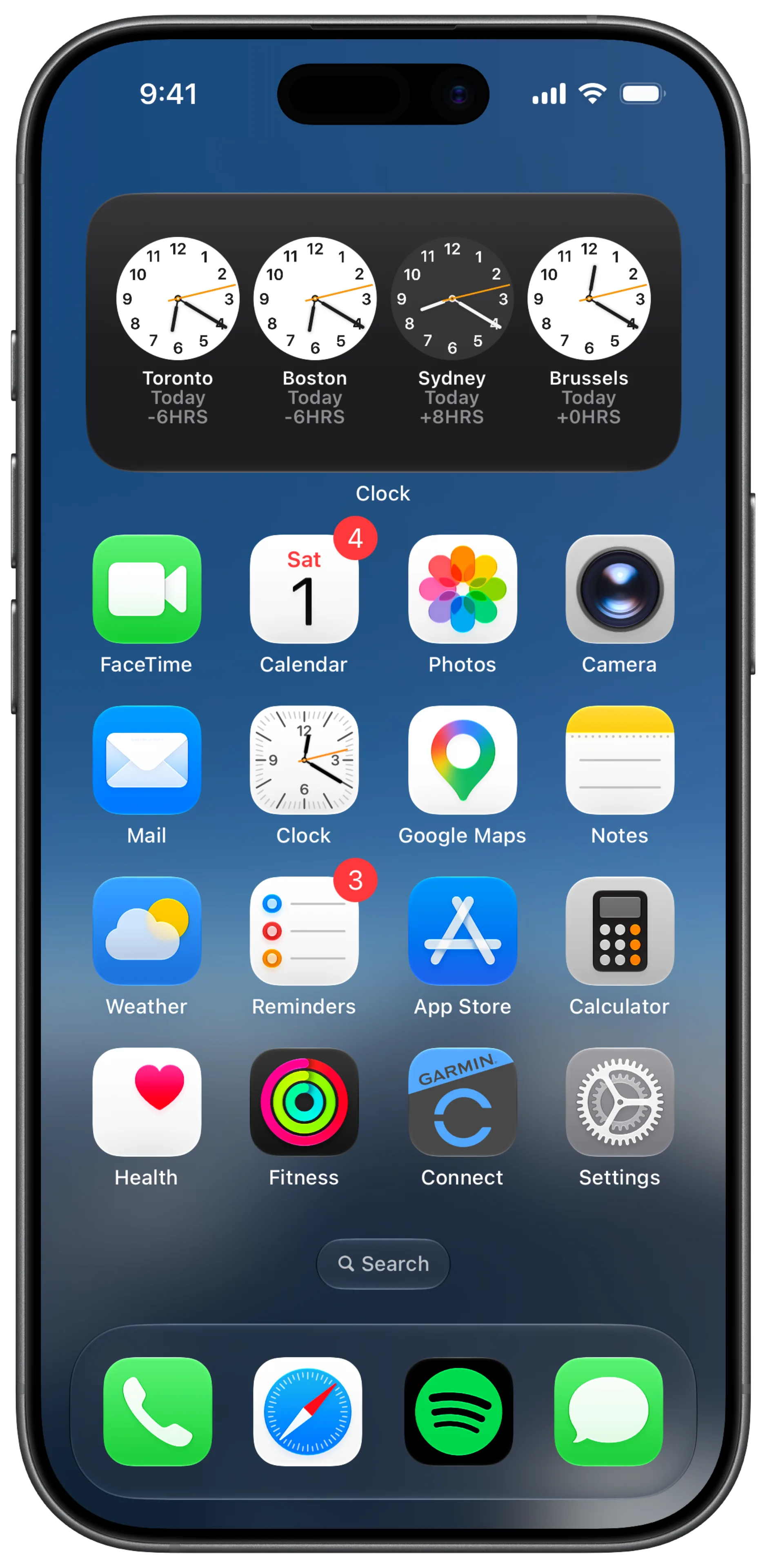
It also works on screen recordings: the cleaning runs on every frame, on the GPU, which is how demo videos get the keynote look too.
Which method should you use?
| You are… | Use |
|---|---|
| Running an automated Xcode screenshot pipeline | simctl status_bar |
| Framing screenshots from a real device | Screeny |
| Cleaning a video | Screeny |
| Fixing one screenshot and you love pixel work | Manual editing |
Frequently asked questions
Why 9:41 specifically? It’s the time Steve Jobs revealed the first iPhone: the full story.
Does the clean status bar work in dark mode screenshots? Yes. Choose white or black status bar elements, or Auto to match your screenshot’s brightness.