The Clean 9:41 Status Bar
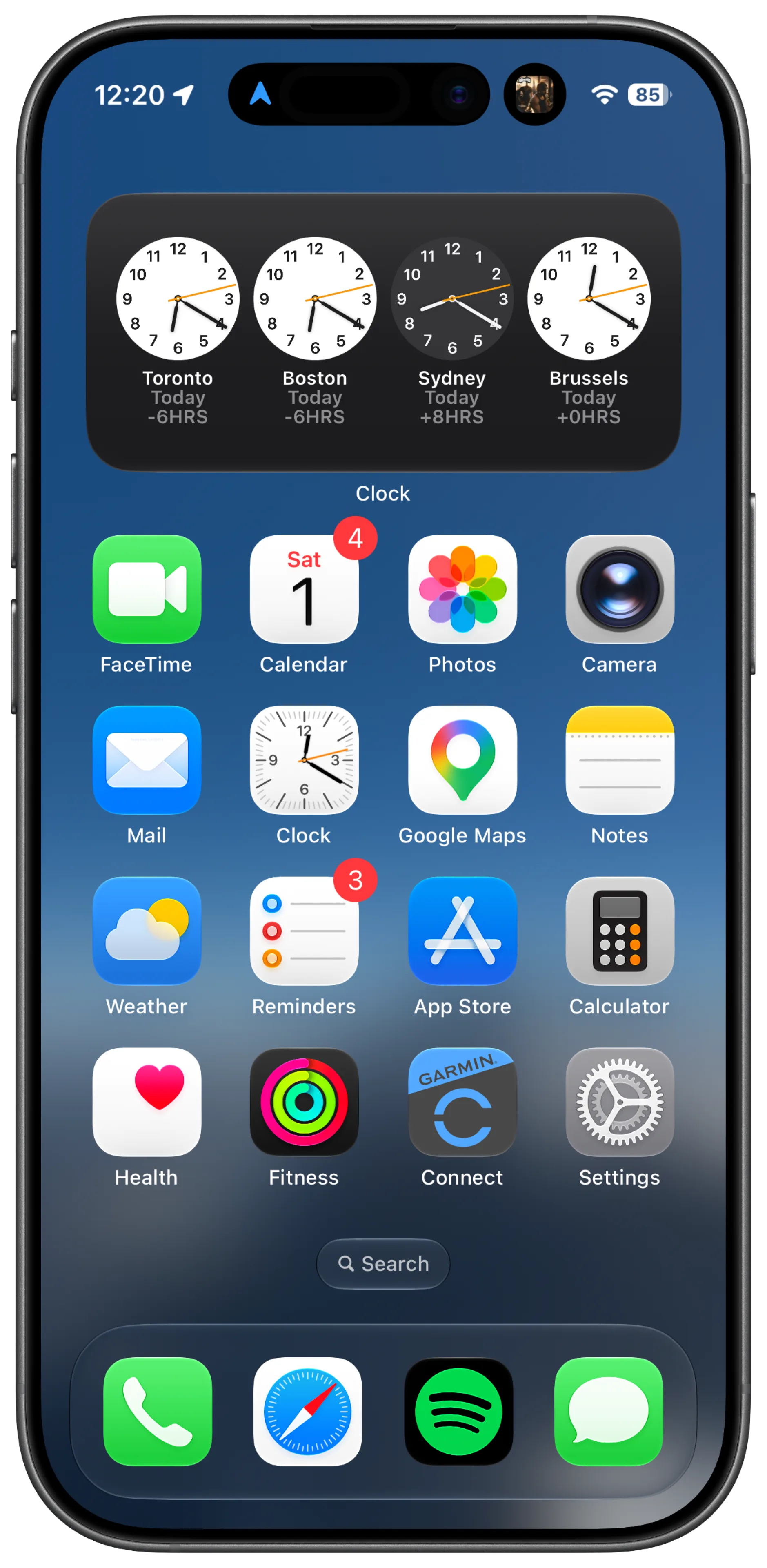
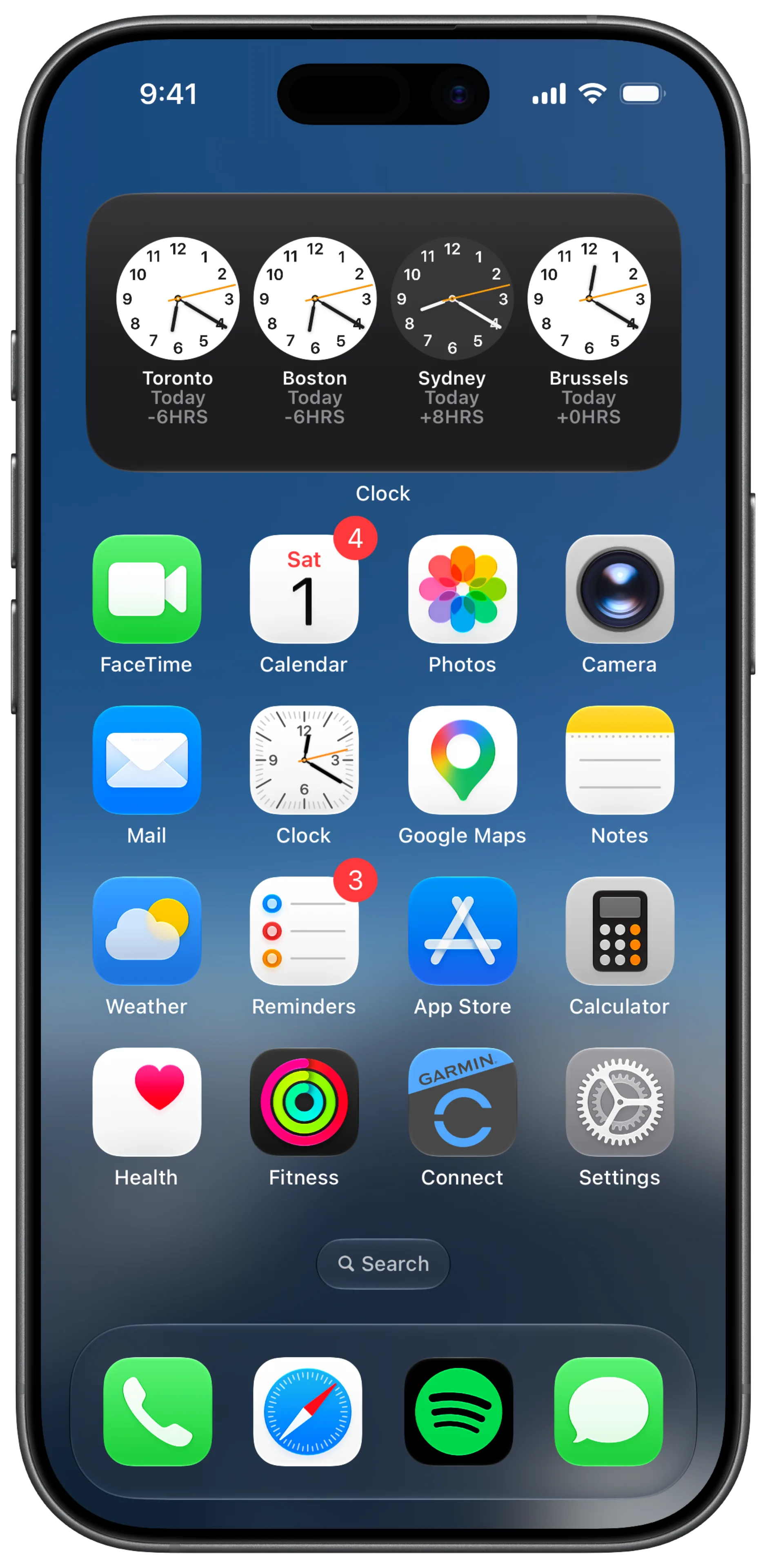
Every Apple keynote, every App Store product page, every marketing shot: the iPhone always shows 9:41, full signal, full battery. (9:41 is the time Steve Jobs announced the original iPhone.)
Your actual screenshots show 3:47pm, a carrier name, and 23% battery.
Screeny fixes that with one toggle.
What it does
Turn on Clean Status Bar in the Bezel tab and Screeny:
- Replaces the time with 9:41
- Sets full signal and full battery
- Removes the carrier name
Why it looks right
Most tools paint a flat bar over the top of your screenshot, which destroys the gradient or image your app draws behind it.
Screeny works differently: it reads the pixels around your status bar and rebuilds the area so your app’s own background stays untouched. Only the status bar elements change. Gradients, photos, colored headers: all preserved.
Status bar icons: light, dark, or auto
The rebuilt status bar draws its icons in white, black, or Auto, which picks based on your screenshot’s brightness. A dark app screen wants white icons; a light one wants black. Auto gets it right most of the time, and the toggle is there for when it doesn’t.
The clean status bar on video
Screen recordings get the same treatment. Screeny rebuilds the status bar on every frame on the GPU, so the time reads 9:41 for the whole clip instead of counting up as it plays. Nothing else about your video mockup changes.