Why Mockup Tools Watermark Your Exports (and Why Screeny Doesn't)
Almost every free mockup generator puts its name on your image. It is easy to read that as stinginess. It is not. It is one of the most reliable growth mechanics in software, and understanding why it works is the only way to have a real opinion about it.
Job one: your export is their advertising
The canonical version of this is Hotmail. In 1996 the founders added a single line to the bottom of every outgoing message: “PS: I love you. Get your free email at Hotmail.” Every email a user sent became an ad shown to someone who demonstrably used email. The service went from launch to a million users in about six months and roughly 12 million in a year and a half.
A watermark on a mockup is the same mechanism with better targeting. Mockups get posted to Twitter, Product Hunt, landing pages and pitch decks. The audience for a mockup is disproportionately people who at some point need a mockup. There is no ad network you can buy that targets that well, and the click costs the vendor nothing.
Job two: it is the thing you are actually paying to remove
The second job is quieter. A free tier has to be useful enough to attract people and limited enough that some of them pay. Export caps and locked features both work, but they hide the limit until you hit it. A watermark is visible on every export from the first one, and it is fixable with a card.
You can see the shape of it across the category. Screenhance gives free users three PNG exports a month with a small watermark, then sells a one-time Launch Pass for ten watermark-free exports. Mockscreens opens the full editor to free users, with all devices, backgrounds and gradients available, and puts a small watermark on what comes out. Rotato advertises an unlimited free trial with no credit card and no usage limits, then sells paid access as exports without watermark.
Note what that phrasing does. “Unlimited free trial” is true precisely because the watermark is what does the limiting. Take the mark off and the trial has to be capped by time or by exports instead, which is a worse pitch.
Why I won’t do it
I hate watermarks. I think they are greedy.
You spend hours designing a view in your app. You frame it because you are proud of it, you post it, and the first thing anyone sees is a logo that has nothing to do with your app. The placement costs the vendor nothing. It costs you the one image you had to show.
It also stings more here than in most places you meet this pattern. A “powered by” line sits at the bottom of someone’s form or website, beside their content. A mockup does not sit beside your work, it is the work. So the logo does not read as a credit. It reads as a flaw in the thing you made to look good.
So Screeny does not watermark exports. Not on the free credits, not on any tier, not on video. There is a settings screen in the app that exists only to say so:
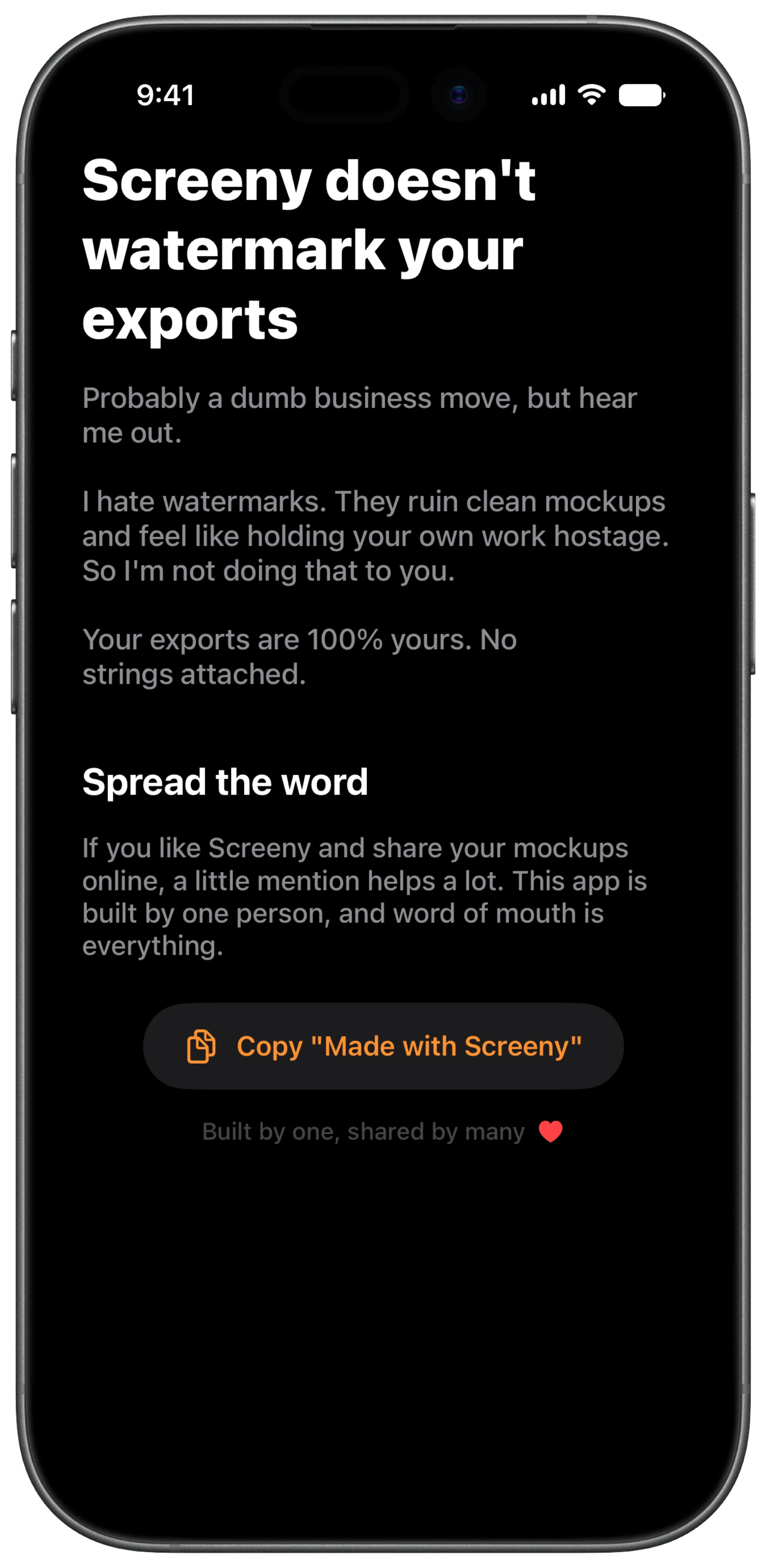
Yes, this is a dumb business idea. I am giving up the mechanic described above, and I have no clever argument for why that is secretly optimal.
Use it free, then decide
You start with 10 credits. An image costs 1, a video costs 3, and what comes out is exactly what a paying user gets: full resolution, no mark, no strings. There is no worse version of the file for people who have not paid yet.
If it fits your workflow and you like it, buy it. That is the whole ask. The settings screen above also has a button that copies “Made with Screeny”, if you feel like saying where a mockup came from. Optional, and you decide, which is the difference between a credit and a watermark.
I would rather earn honest word of mouth and a good reference from someone happy than put my logo on their work without asking.
And I think a product experience starts long before the download. The first time most people meet a product, they are scrolling past it in a feed. That glance is the product, as far as they are concerned. If it happens to be a Screeny mockup, I want it clean and calm, whether the person who made it has paid me or not.
Frequently asked questions
Does Screeny watermark video exports? No. Video is watermark-free on every tier, including exports made with the free credits you start with.
Is there a free tier with a watermark instead of credits? No. There is one export path and it produces clean files. The limit is how many exports, not what they look like.
Do I have to credit Screeny? No. Exports are yours with no attribution requirement. The “Made with Screeny” string in settings is there if you want it.
Why do other tools watermark then? Because it is a working growth strategy and most of them are small teams too. This is a difference in choice, not a difference in ethics.
Can I use exports commercially? Yes, including client work and paid App Store listings. The device frames depict Apple hardware, so Apple’s trademark and product image guidelines govern how you show the devices.